




Credit Direct has been helping Nigerians access loans for nearly two decades across different channels (WhatsApp, Web, USSD and Sales Agents). Now, for the first time, you can apply for a loan directly on the Credit Direct app, giving you another seamless way to get the funds you need.
Whether you are a first-time borrower or an existing Credit Direct customer, here is everything you need to know about how it works.
Who Can Get Loans on The App?
The Credit Direct app loan is built for a wide range of Nigerians, not just the formally employed. Everyone from civil servants to entrepreneurs to students can take loans on the app.
If you’ve never used the Credit Direct app, all you need to do is sign up and upgrade to Tier 3 to qualify for a loan.
What You Need to Know Before You Apply
How much can I borrow? Credit Direct offers loans of up to N5,000,000 on the app. Your specific offer is determined by your employment type, income, and the result of the credit assessment. You will see your offer amount on the screen during the application.
What is the interest rate? Interest rates apply monthly and vary by person, and are calculated by the credit assessment engine. Your exact rate will be displayed on the offer screen during your loan application.
How long do I have to repay? Tenures run from 1 month up to 12 months. You choose your preferred length from the options on your offer screen, and your repayment frequency (monthly, bi-weekly, or weekly) is determined by your loan amount and risk profile.
Do I need collateral or a guarantor? No. You do not need collateral or a guarantor to access a personal loan on the Credit Direct app or any of our other channels.
What do I need to sign up? These are the requirements you need to sign up for the Credit Direct App;
- Your BVN
- Your NIN
- A Valid ID Card.
- You may require additional documents depending on your employment type and income level, like an employee ID, bank statement, call-up letter (NYSC), and more.
One more thing before you apply: you need to be on at least Tier 3 on the Credit Direct app to access loans. To check your current tier, tap Account at the bottom of the app: your tier is displayed at the top of the screen. If you need to upgrade, you can do so from the same section by providing your BVN, NIN, a valid means of identification, and your proof of address.
How the Application Works
For eligible customers, the process takes some minutes from start to funding. Your offer appears the moment you open the Loans section of the app, or directly on your home screen. You review the offer, select your preferred loan amount and repayment terms, accept the loan agreement, confirm your repayment mandate, and the funds hit your wallet.
For new applicants, the process is just as smooth; it simply involves completing your details based on your employment type and inputing the amount you need. If you are approved, your offer screen appears immediately; you can either accept or reject it. Your application can be denied for a number of reasons, but this rarely happens.
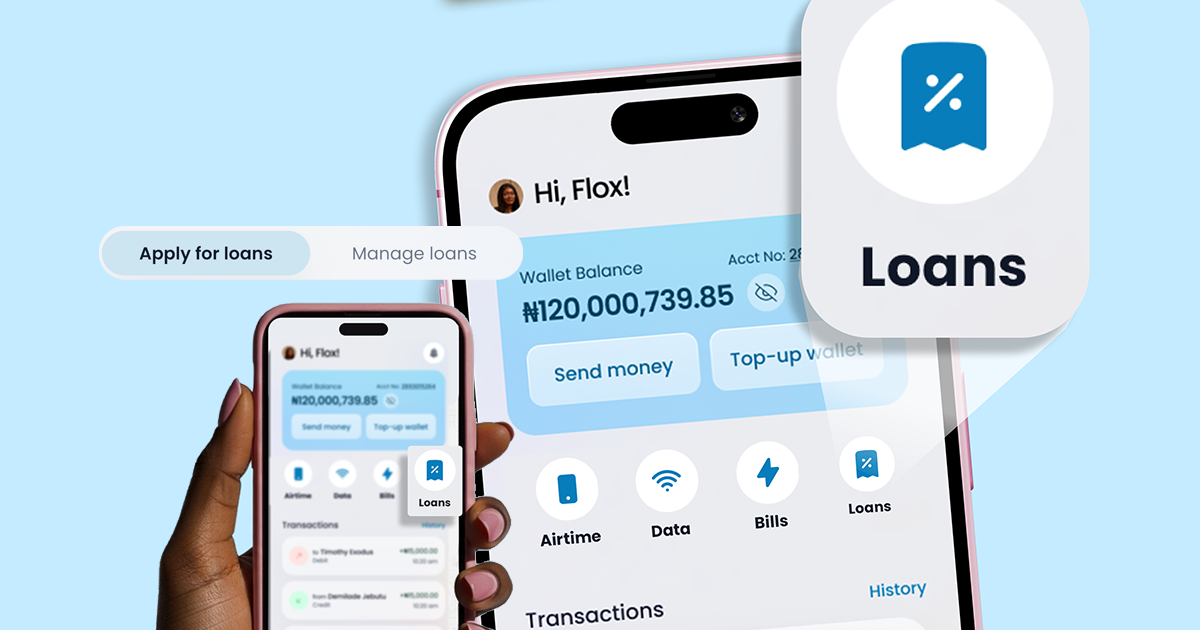
To find the loan feature, tap the Loans tab in the app at any time.
Getting Your Money and Paying It Back
Once you accept your offer and your repayment mandate is confirmed, funds are credited to your Credit Direct wallet within a few minutes. From there, you can start using the funds immediately.
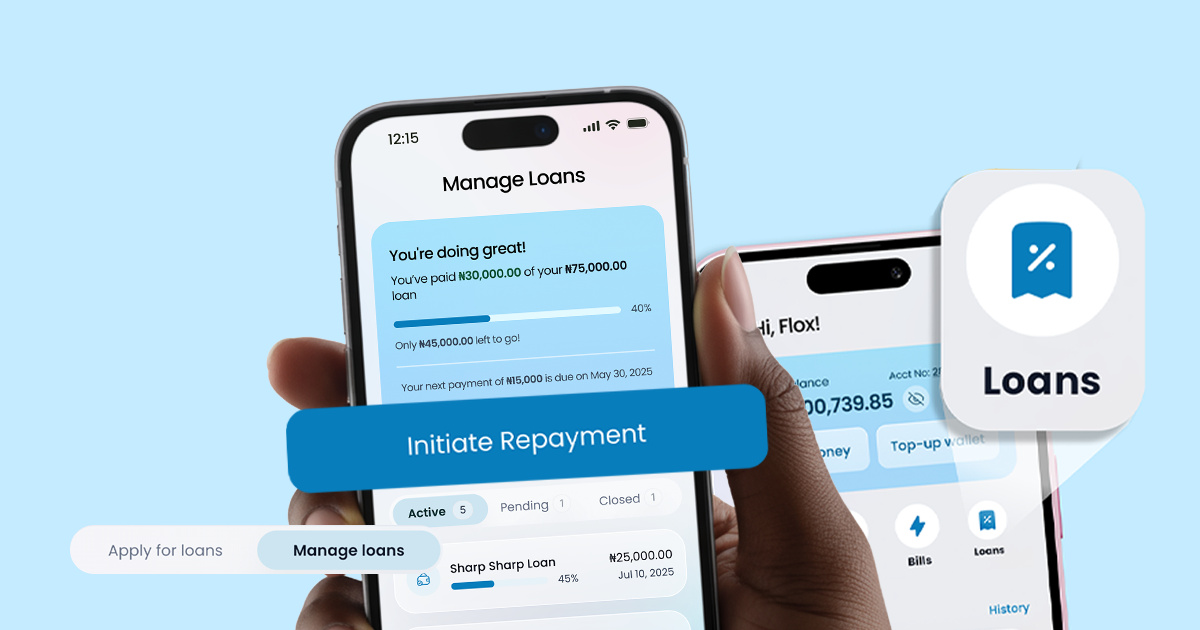
Repayment is automatic. You can find the details about when payments are due and how much on the app. For some civil servants, it is handled through the employer and deducted directly from your salary.
For everyone else, a direct debit mandate is set up on your linked bank account, and your repayment amount is deducted on your due date without you needing to do anything.
If your Credit Direct wallet has funds on your due date, it will be deducted first before the bank debit is triggered, so keeping a balance in your wallet is a simple way to stay on track.
If you want to repay early, you can do so through the app. Any applicable early settlement terms will be detailed in your loan agreement.
If a scheduled debit fails, you will be notified with the reason and a prompt to resolve it. It’s good practice to make repayments on time, as late repayments or default can impact your credit rating with credit bureaus.
Read our article to see how loan defaulting affects you.
Trust, Safety, and Support
The Credit Direct app loan is the same product you already know, now available entirely within the app for the first time. Credit Direct is a CBN-licensed and regulated institution within the FCMB Group, with close to two decades of lending experience in Nigeria.
Your data and money are protected by multiple layers of security, including identity verification, device checks, liveness detection, and credit bureau screening across CRC, FirstCentral, and CreditRegistry. Your personal information is handled in line with the Nigerian Data Protection Act.
If anything goes wrong at any point, you can speak with CLARA, our AI support on WhatsApp, to get 24/7 resolutions.
FAQs
Can I get a loan if I have never used Credit Direct before? Yes. New customers go through a full application and verification process.
What if I am declined? Typically, this happens when you submit incomplete information. You can reapply with more supporting documents to fix this. Alternatively, you can talk to our AI support, CLARA, for assistance.
Is there a loan limit per person? You can only hold one active loan at a time on the app.
Where does the money land when I am approved? Directly into your Credit Direct wallet, where you can start using it immediately.
What happens to the cash I leave on the app? Your cash in the Credit Direct wallet earns 10% per annum. This makes sure it keeps growing while it's idle.
Ready to Get Started?
Download the Credit Direct app, upgrade to Tier 3 if you have not already, and check whether a pre-approved offer is waiting for you.


%20compressed.png)